
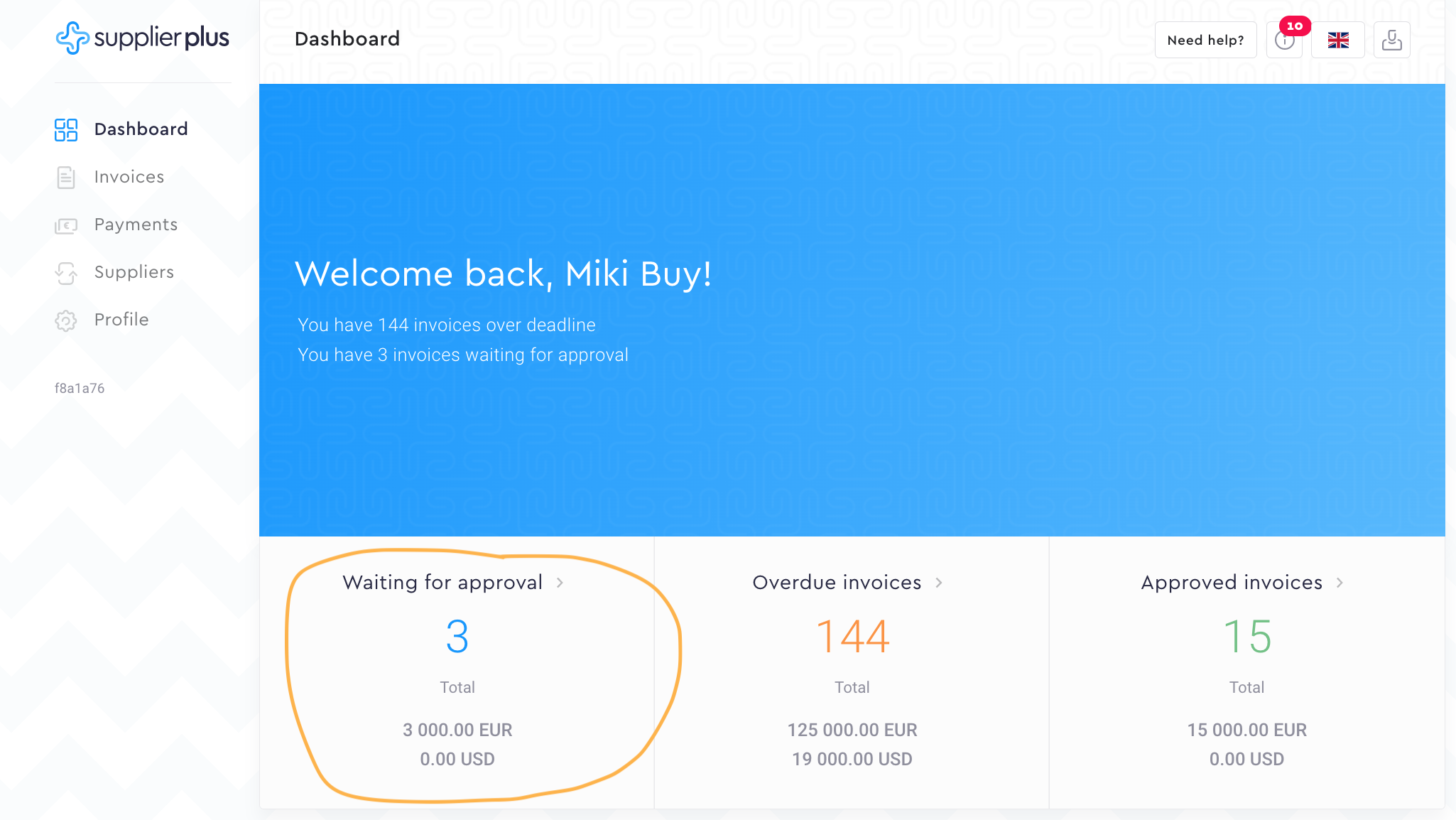
1. Go to Waiting for approval invoices from the Dashboard.

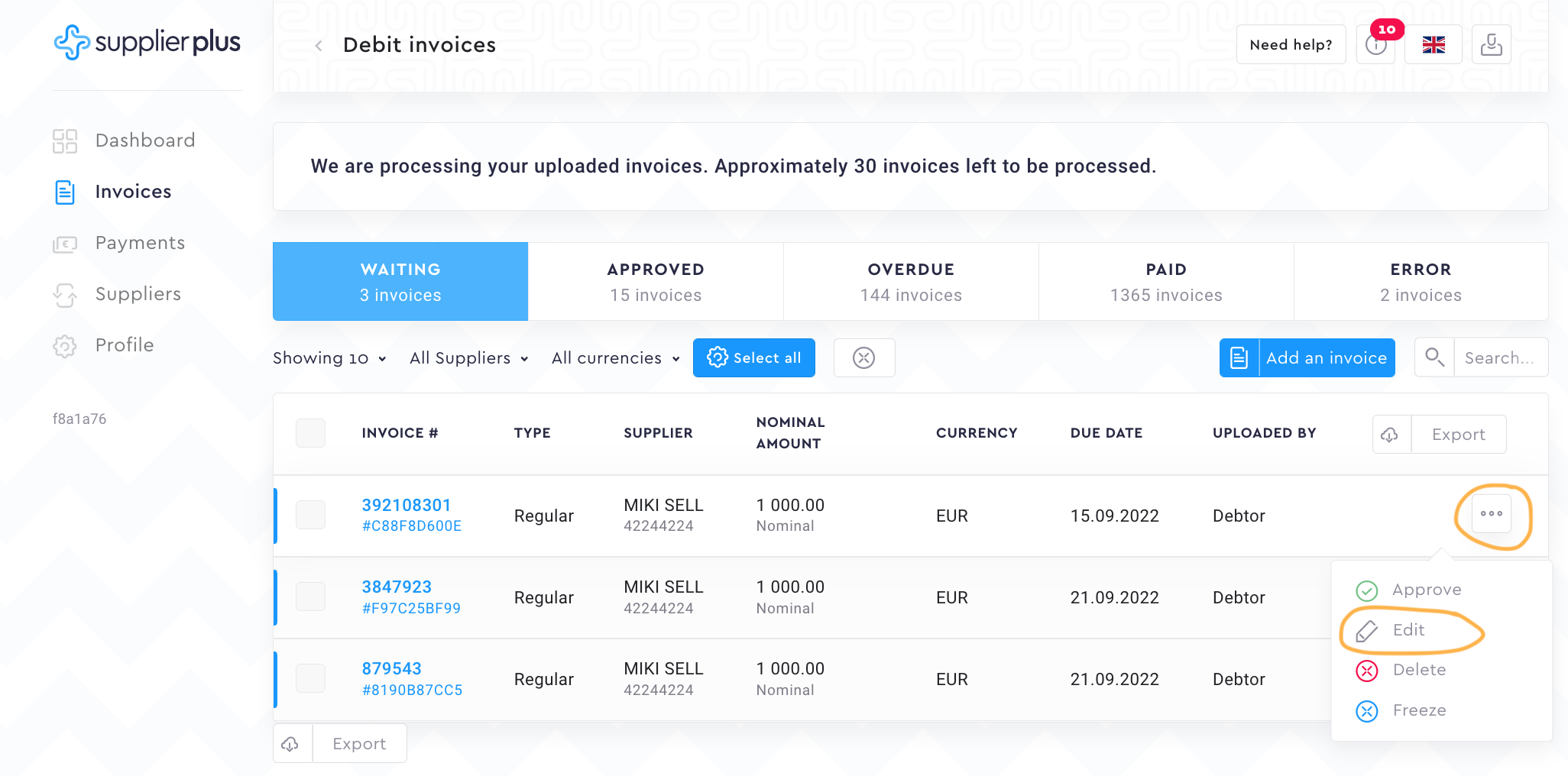
2. Select the invoice you would like to partially approve and settle. Press the Options button at the end of the row and select Edit.

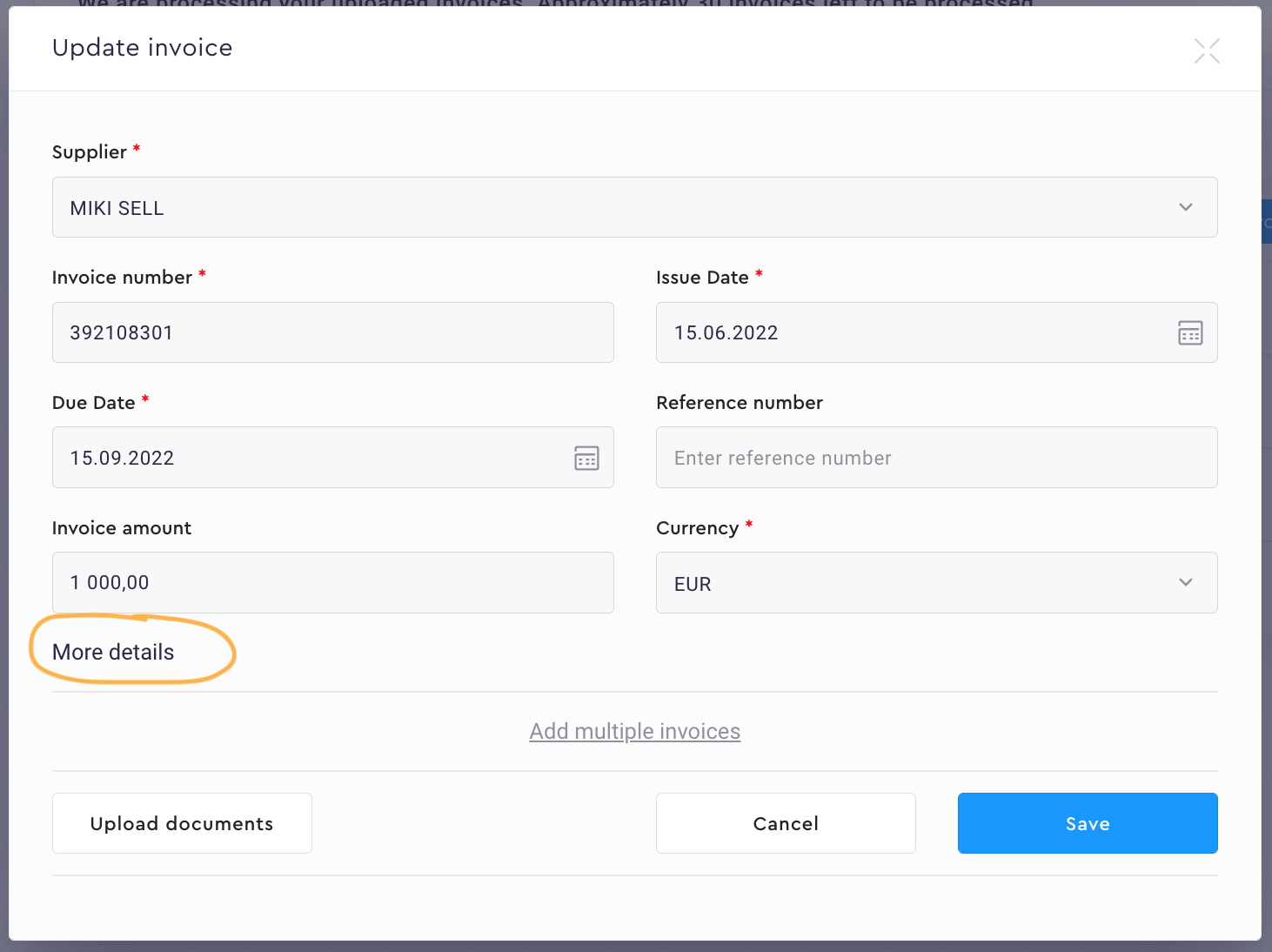
3. You will see the invoice basic details. To use our settlement tool, press More Details.

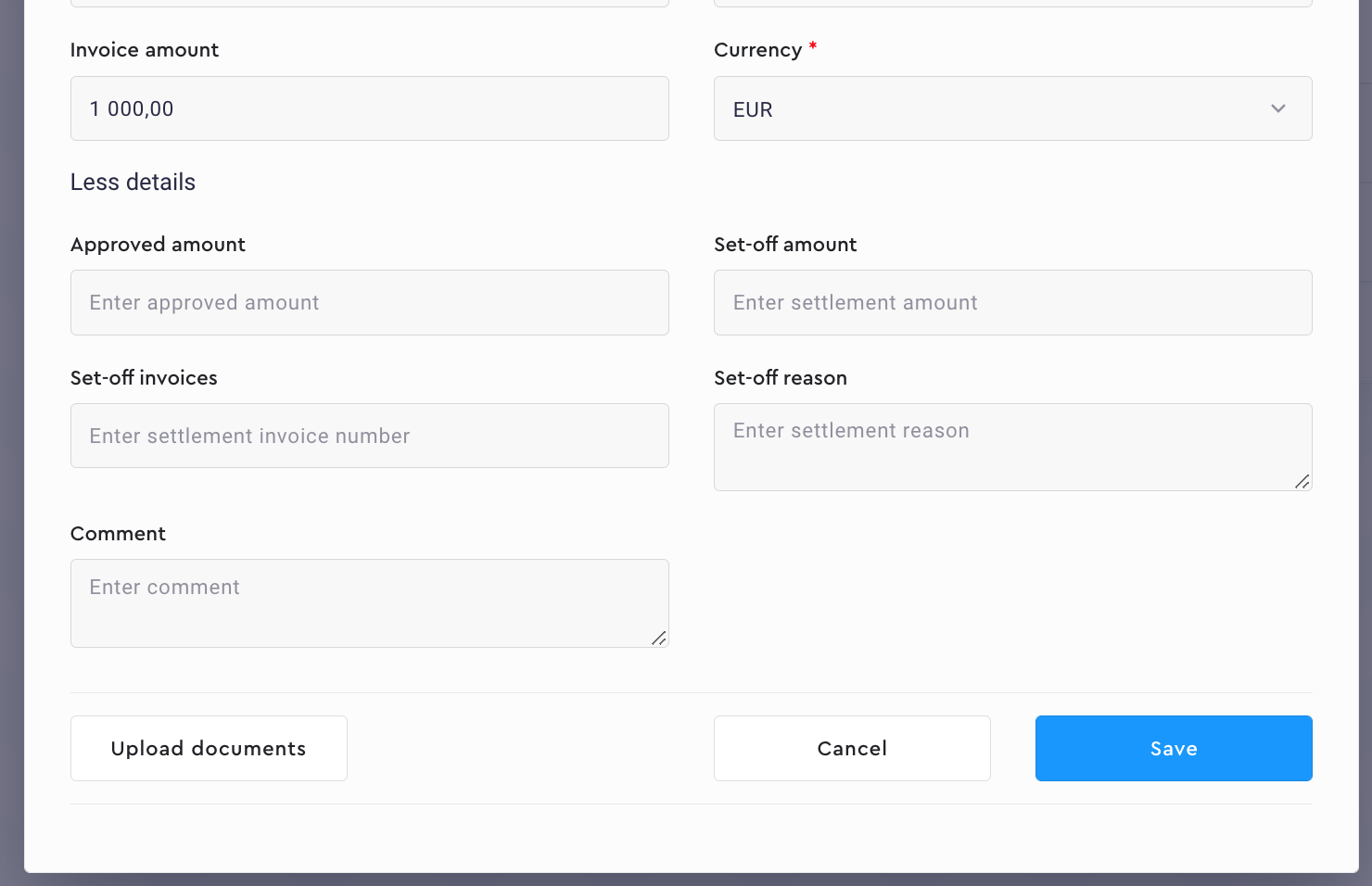
4. Add settlement amount and the approved amount changes itself. Add set-off invoice number(s) and set-off reason. If you need your supplier to know more details on why the settlement is done, use the comment field to describe the reason. To update the invoice details, press Save.

Comments
0 comments
Please sign in to leave a comment.