
-
From Dashboard press Waiting for approval.
-
Press on Select all.
-
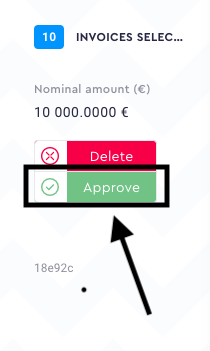
Press Approve.
-
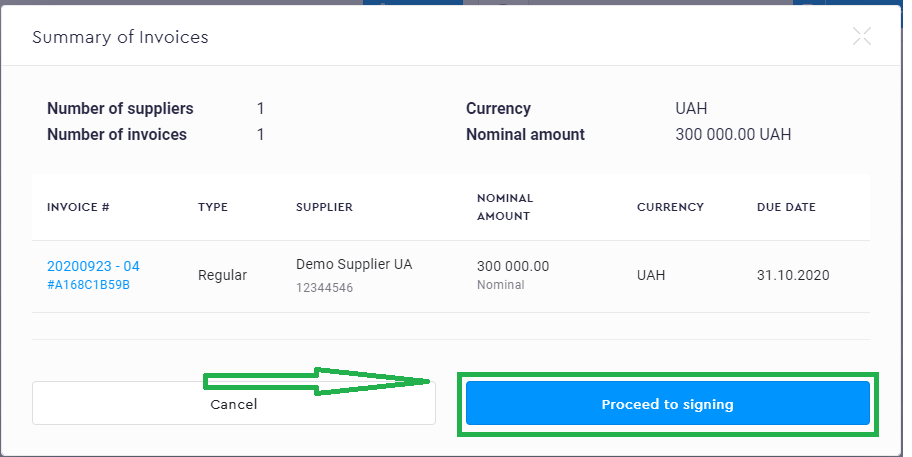
You'll see a summary of the invoices you would like to approve. Press Proceed to signing.
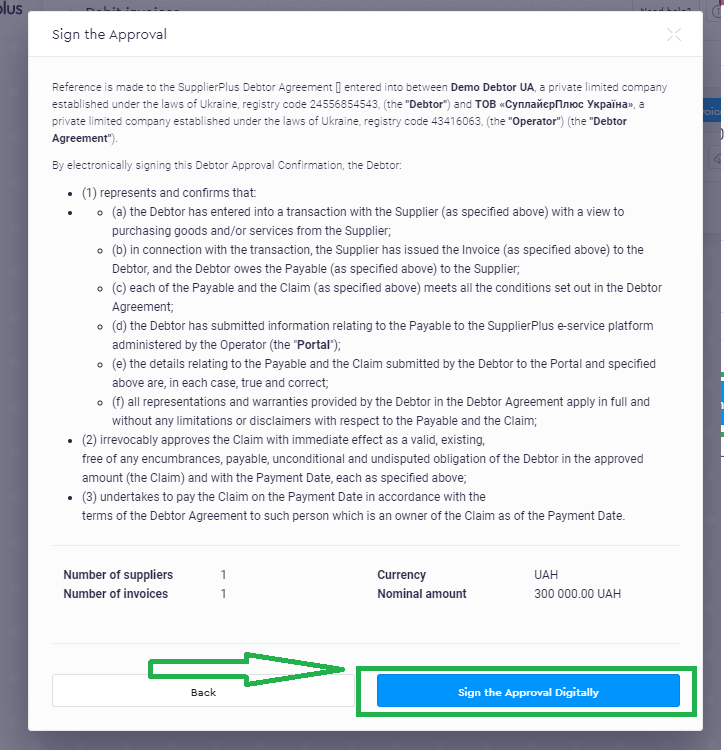
- Press Sign the Approval Digitally.
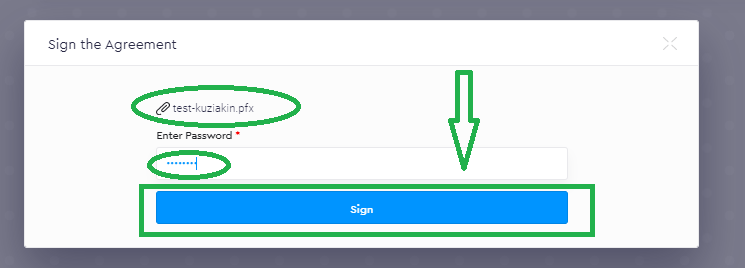
- Attach your KEY and insert a password for the key.
- Press Sign
Visual instructions:
-
From Dashboard press Waiting for approval.

2. Press on Select all.

3. Press Approve.
4. You'll see a summary of the invoices you would like to approve. Press Proceed to signing.
5. Press Sign the Approval Digitally.
6. Attach your KEY and insert a password for the key.
7. Press Sign
Done! Invoices are approved. You can now download a summary for your invoices' approval.
Comments
0 comments
Please sign in to leave a comment.