
We use resending the user invitation when the user hasn't received the invitation on the first try or hasn't accepted the invitation when it's still valid. The invitation remains valid or active for 2 weeks.
-
Go to Profile.
-
Press Users.
-
Press Invites.
-
Select the user to whom you would like to resend the invitation.
-
Press Resend invitation (the envelope icon).
-
Press OK to confirm.
Instructions with pictures:
-
Go to Profile.

2. Press Users.

3. Press Invites.

4. Select the user to whom you would like to resend the invitation and press Resend invitation (the envelope icon).
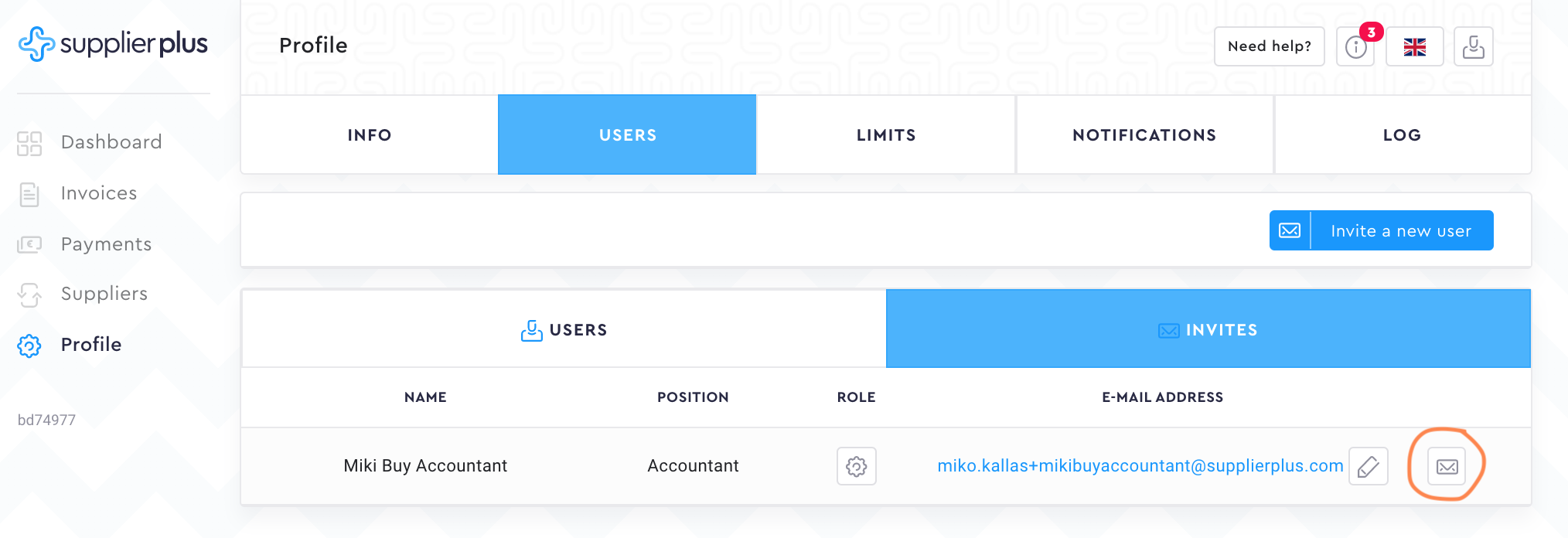
5. Press OK to confirm.

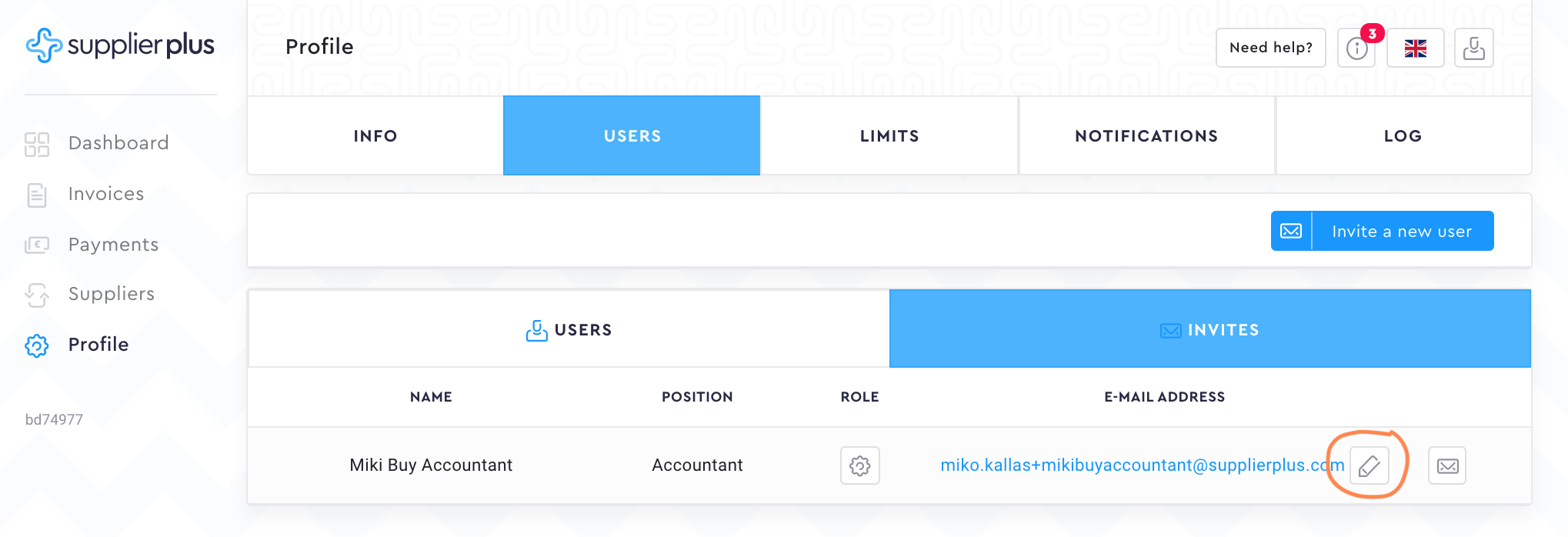
NB! If you noticed that the email you initially entered is wrong, you can edit the email address. After you have changed the email address, the new invitation will automatically be sent.
Comments
0 comments
Please sign in to leave a comment.