
-
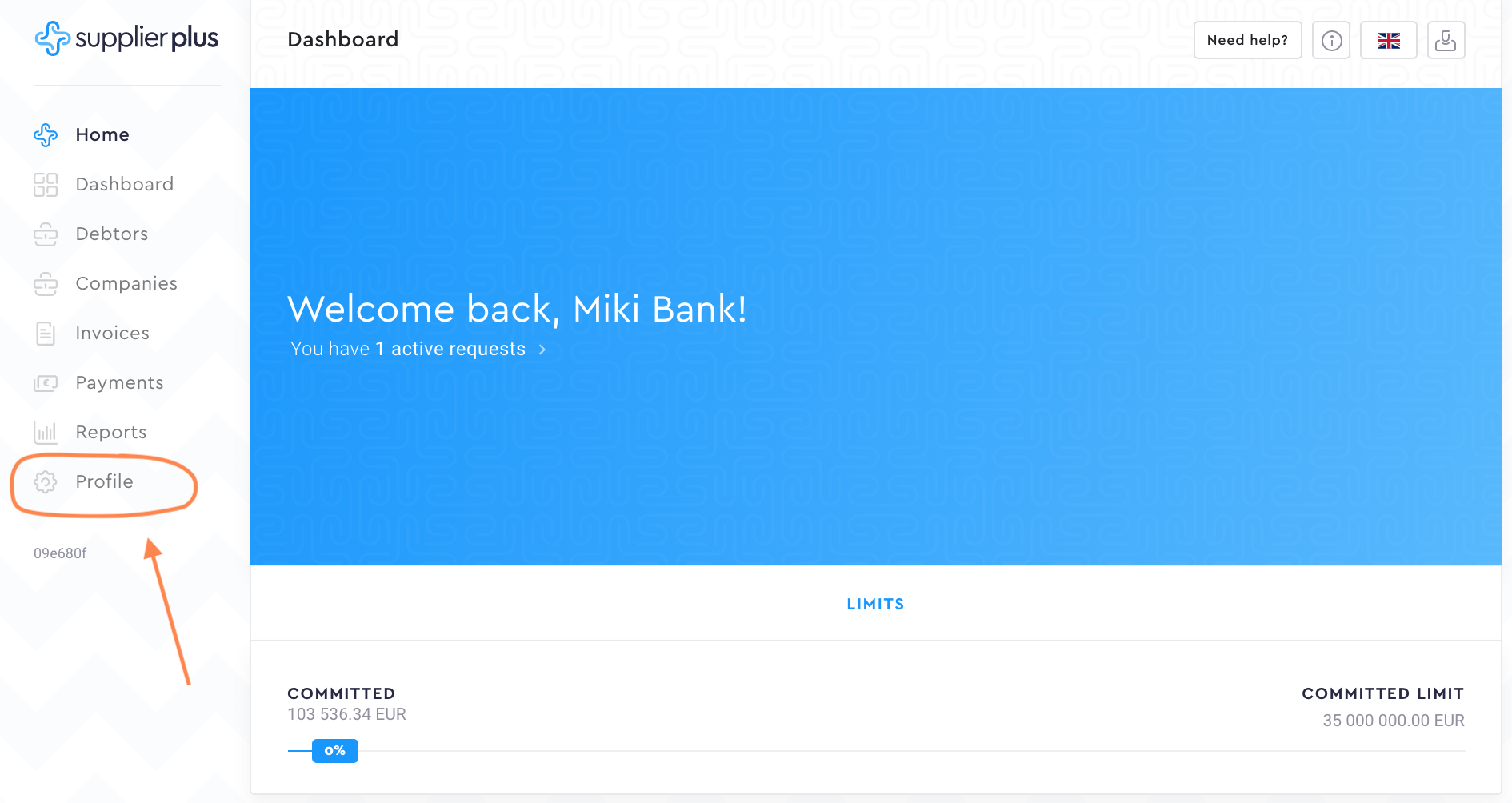
Go to Profile
-
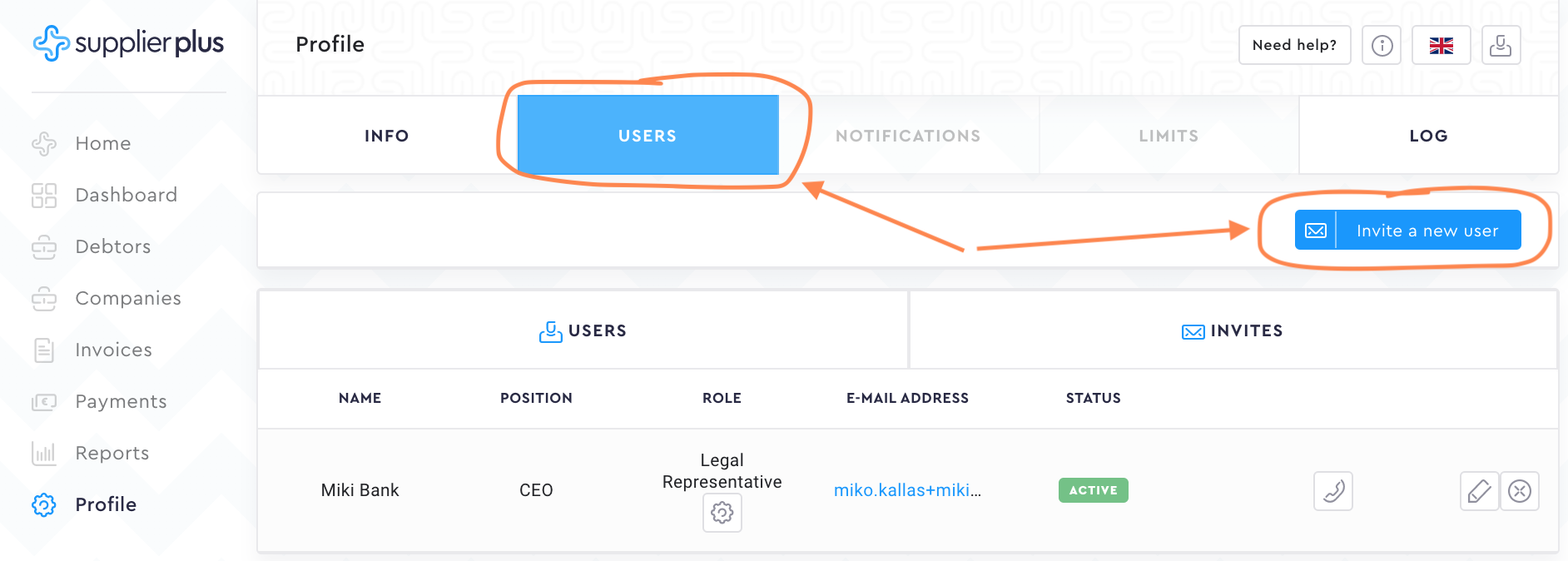
Select Users and press Invite a new user
-
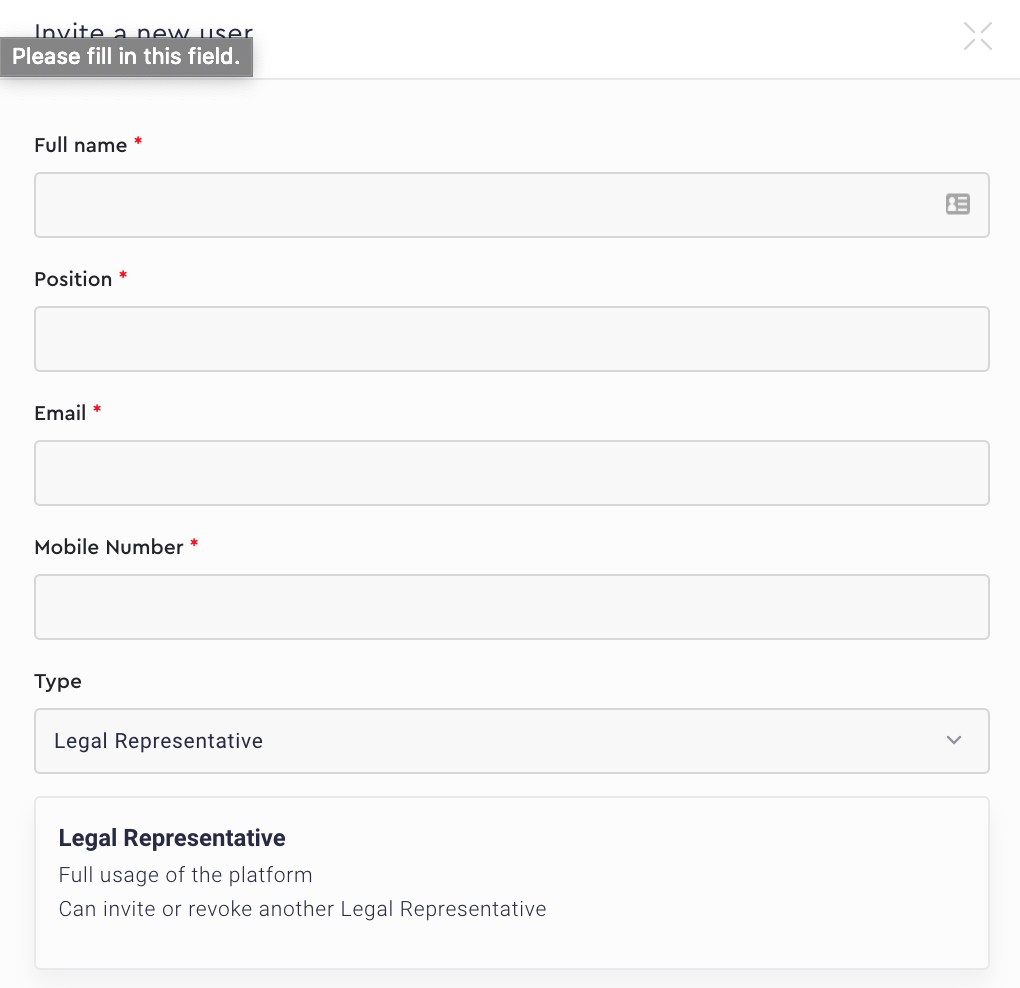
Fill in mandatory fields and select the right user Type
-
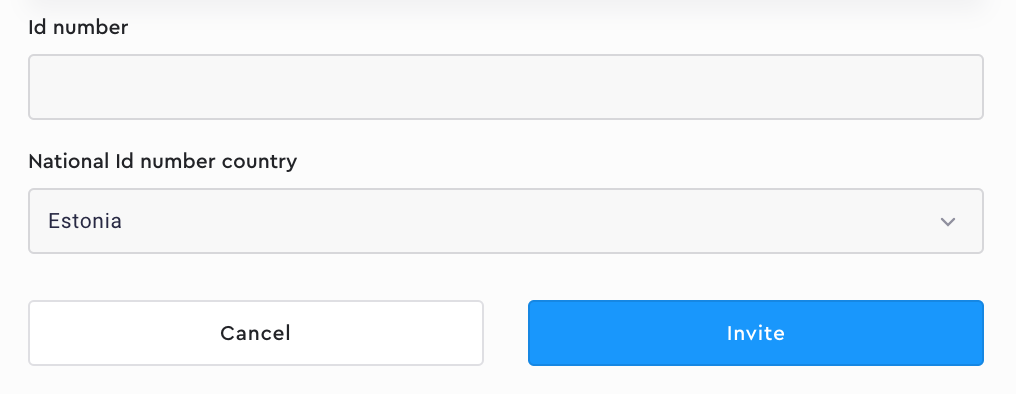
Add ID number information and press Invite
Visual instructions:
-
Go to Profile from the menu.
2. Select Users and press Invite a new user.
3. Fill in mandatory fields and select the right user Type. As soon as you have selected the user type, we will show you what users' rights.
4. Add ID number information and press Invite to complete the user invitation.
Comments
0 comments
Please sign in to leave a comment.