
Every time you automatically purchase invoices based on your set limit to debtors we will send you the Creditor Payment Report (CPR).
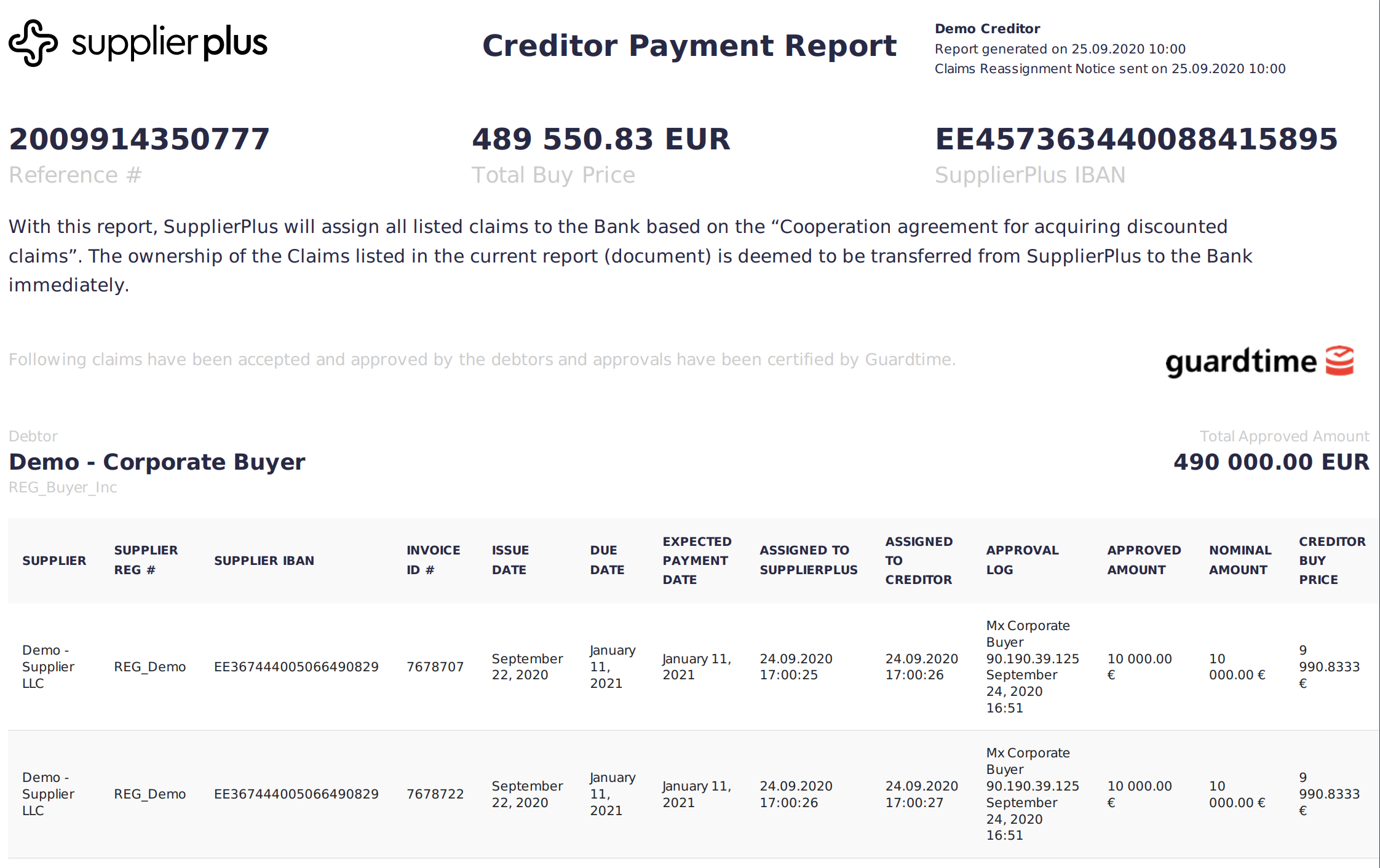
CPR is a document of all the invoices you have bought according to the CPR schedule. You can see the CPR schedule in Profile -> Info.
You can also access the reports in the Platform. Go to Payments and you will see Active and Cleared payments.
Active --> Requests that are waiting for your money transfer to SupplierPlus
Cleared --> Requests that SupplierPlus has received and marked as paid by you.
How does CPR look like?
Comments
0 comments
Please sign in to leave a comment.